পণ্য


.svg)


.svg)


Mother's Day is one of the most lucrative holidays in e-commerce — second only to the winter holidays in average consumer spending. According to the National Retail Federation, U.S. consumers spent $34.1 billion on Mother's Day in 2025, with the average shopper spending $259 on gifts and celebrations. Nearly half of those shoppers (48%) said finding a gift that's unique or different was their top priority — a direct opening for custom print-on-demand products.
Manual emailing won't capture that opportunity at scale. To maximize your GearLaunch store's revenue this season, you need automated sequences that nurture leads, recover lost sales, and build loyalty while you focus on designing.
Social media ads are great for discovery, but email marketing is the channel with proven, compounding returns. According to Litmus' State of Email research, email delivers an average ROI of $36 for every $1 spent — higher than any other marketing channel. For e-commerce sellers in the retail and consumer goods space, that number climbs even higher.
For GearLaunch sellers, email is your most valuable owned asset. It lets you bypass rising ad costs by reaching your audience directly, build long-term brand loyalty instead of relying on one-off impulse buys, and generate revenue around the clock through automation. By setting up the five flows below, you turn your store into a 24/7 sales machine — even while you're busy creating your next design.
Before you launch these sequences, make sure your product catalog is ready to convert. Check out the GearLaunch Holiday Selling Guide for product and niche inspiration aligned to what buyers actually search for in May.
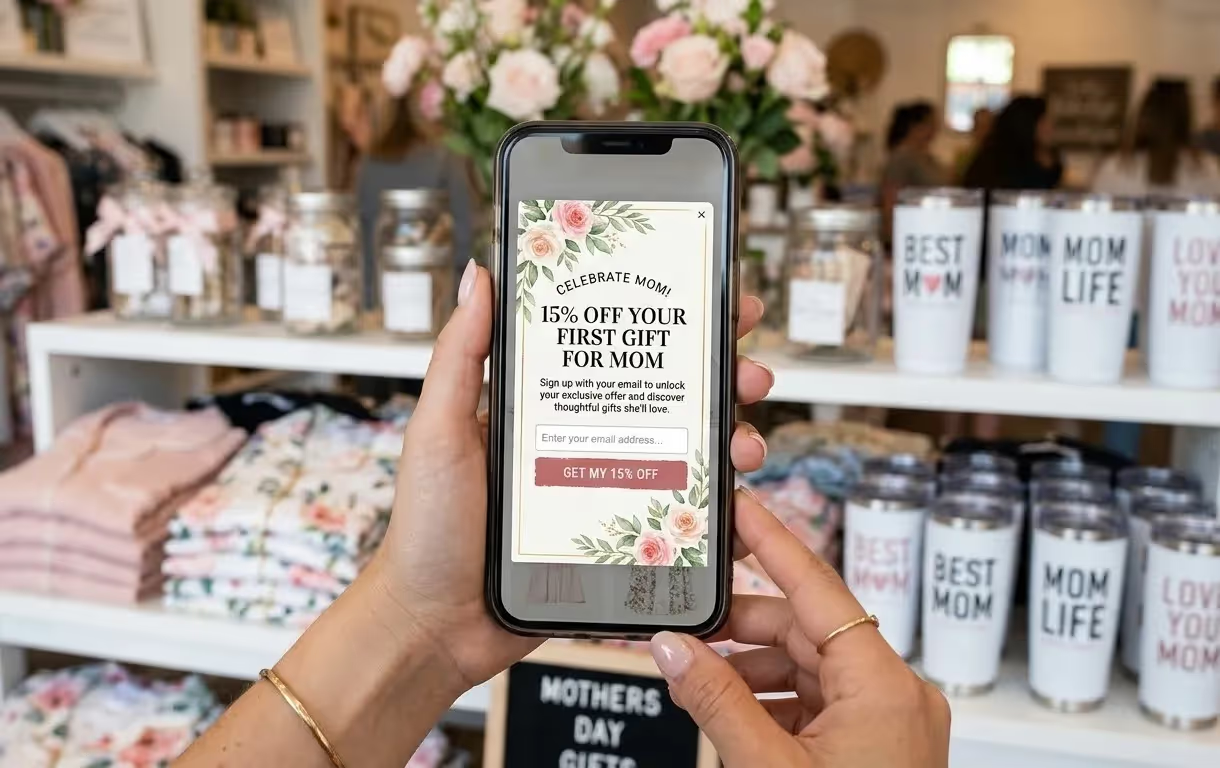
All five flows below assume you have an email list to send to. If yours is small — or non-existent — the most important thing you can do right now is start building it. Set up a Mother's Day-themed pop-up on your store offering 10–15% off in exchange for an email address. Promote the sign-up on your social channels with a clear benefit: "Get early access to our Mother's Day gift guide." Even a modest list of a few hundred engaged subscribers will outperform a large list of cold or disengaged contacts. Prioritize quality over size, and activate your pop-up at least 5 weeks before Mother's Day to give the Welcome Series (Flow 1) enough runway to convert early browsers.
Before building any flow, you need the right tool. Klaviyo is the top choice for GearLaunch sellers using Shopify — it offers deep native Shopify integration, real-time behavioral triggers, and pre-built abandoned cart templates that make setting up Flows 2 and 3 straightforward. Its analytics also track revenue per email directly, so you can measure ROI flow by flow. Mailchimp is the better option if you're just starting out or on a tight budget: it's more beginner-friendly, has a generous free tier (up to 500 contacts), and covers all the essential automation triggers needed for this five-flow setup. Either platform works — what matters is having your flows active before peak traffic begins.
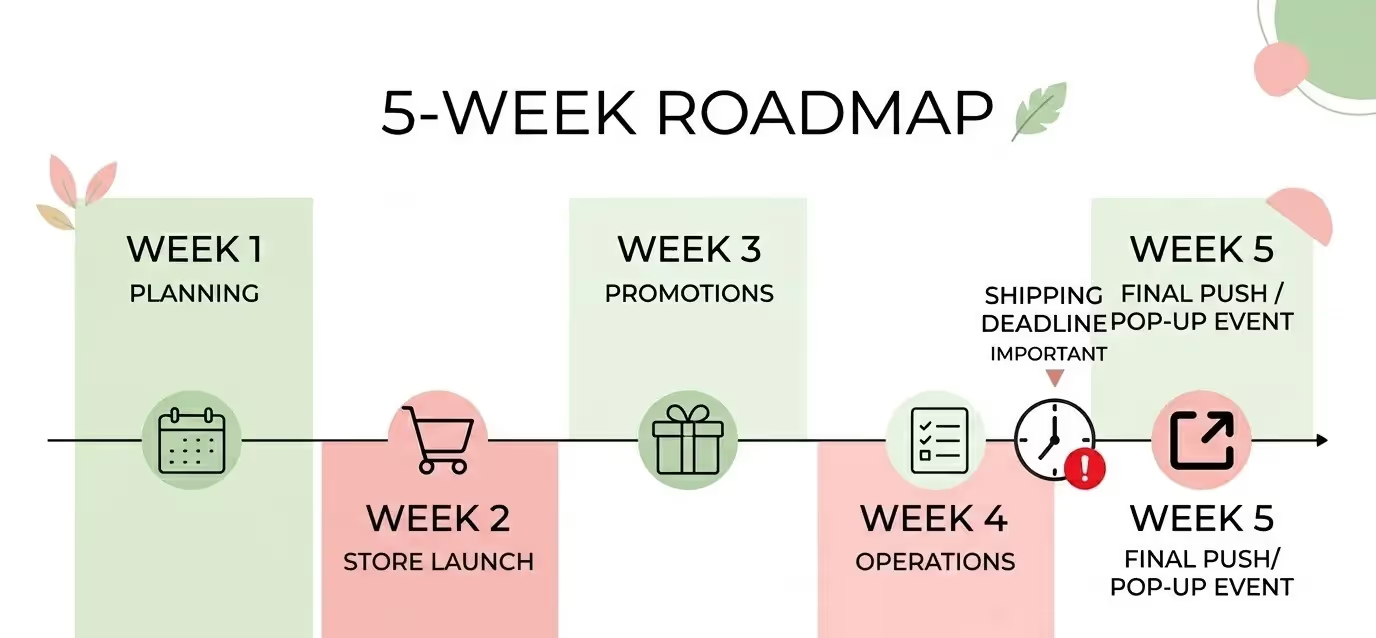
Knowing what flows to build is only half the equation. Here's when to deploy them:
Pin this timeline to your wall. The sellers who outperform in May are the ones who started in April.
First impressions drive first purchases. When a new visitor signs up via a Mother's Day pop-up, trigger a 3-part sequence immediately.
Email 1 delivers the discount code instantly with a "Gift for Mom" theme — no delay, no friction.
Email 2 tells your brand story: share why your custom gear creates meaningful, lasting memories rather than generic gifts that get forgotten.
Email 3 is a best-sellers showcase featuring your top-rated Mother's Day designs, ideally including products like personalized mugs and tumblers or cozy women's pajamas that photograph beautifully and convert well as gifts.
Subject lines to test:
This sequence warms cold subscribers into warm buyers before your competitors have even shown up in their inbox.
High purchase intent collides with high distraction during holiday shopping. A shopper who leaves a personalized mug or custom apparel in their cart is not a lost sale — they're a warm lead waiting for the right nudge.
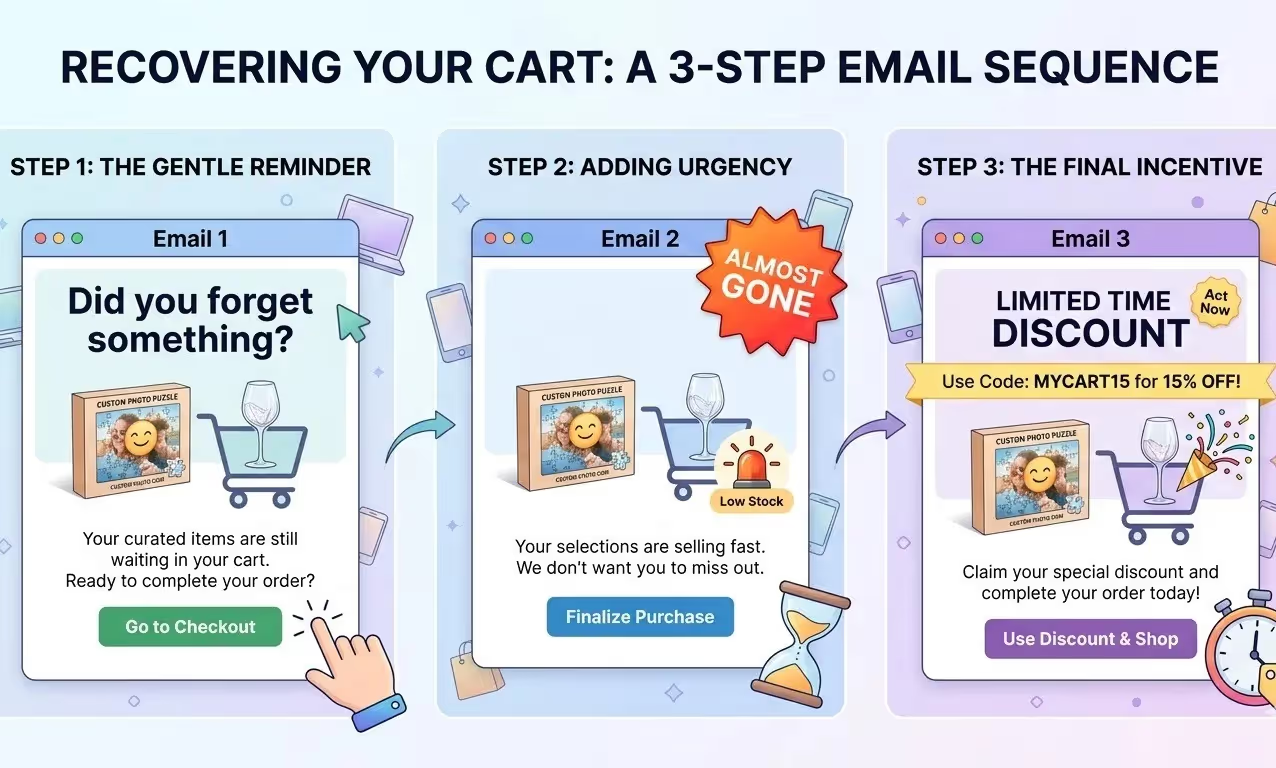
Structure your recovery sequence across three emails. The first goes out one hour after abandonment, simply reminding them what they left behind. Sending within that first hour matters: research shows it can boost conversions by up to 20% compared to waiting longer. The second follows 24 hours later with an urgency message: Mother's Day is approaching and shipping cutoffs are real. The third — sent 48 to 72 hours later — can include a slightly elevated discount to seal the deal. Urgency and loss aversion are your conversion levers here; use them deliberately rather than discounting from the start.
Subject lines to test:
Benchmark to aim for: According to Klaviyo's 2024 abandoned cart data, abandoned cart flows drive the highest revenue per recipient of any automated email flow — with open rates above 50% in the apparel and accessories category and an average conversion rate of around 3.3%, with top-performing stores reaching 2–3x that figure. Even a basic 3-email sequence is one of the highest-ROI setups you can build.
A visitor who browses your Mother's Day collection but doesn't add to cart is undecided, not disinterested. This flow exists to help them choose.
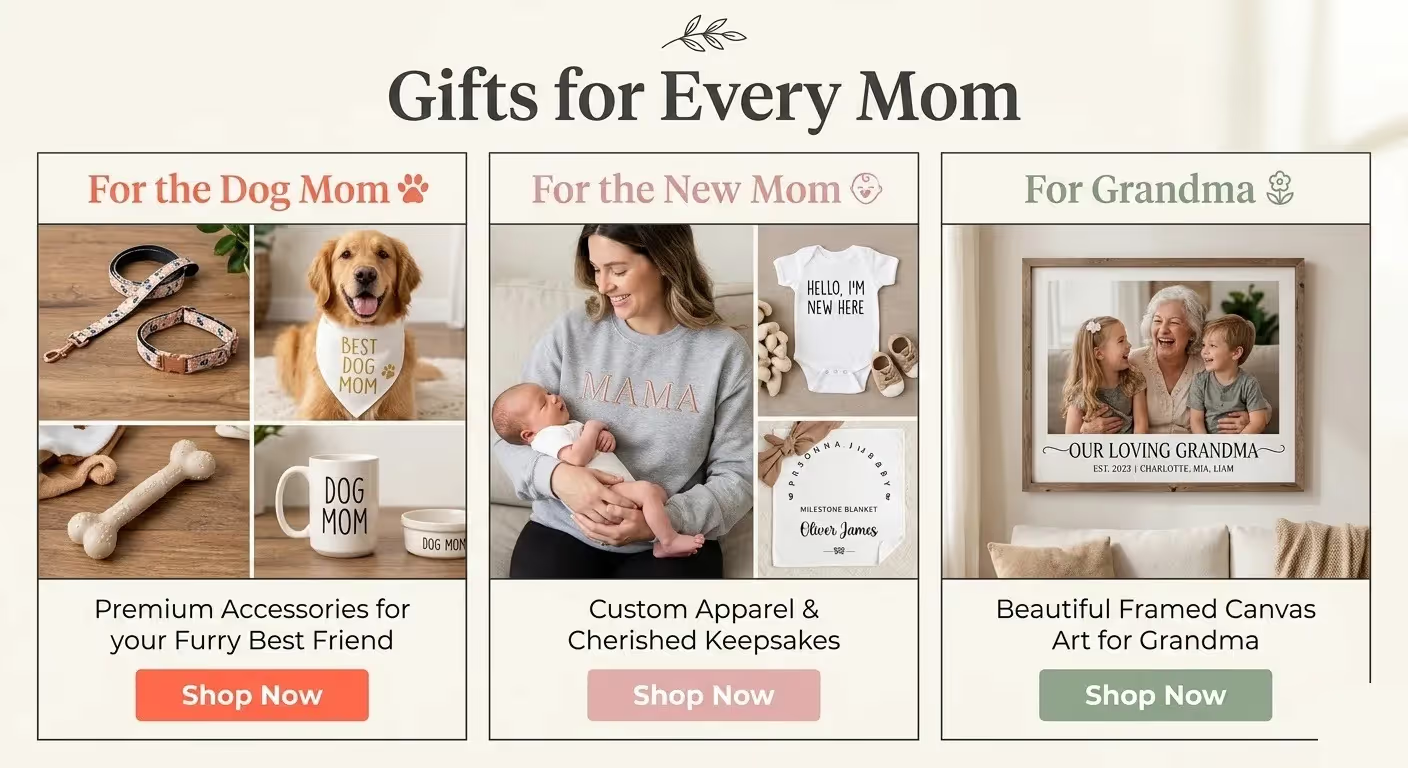
Send a "Need help picking a gift?" email that organizes your products by buyer persona — for example, gifts for Grandma, gifts for the New Mom, and gifts for the Dog Mom. Segmenting by persona reduces decision fatigue, the single biggest reason indecisive shoppers leave without converting. This is also where women's accessories and fashion handbags shine as gift category anchors — visually strong, easy to personalize, and compelling across multiple buyer segments simultaneously.
Subject lines to test:
FOMO is a powerful motivator, and nothing creates urgency like a real, immovable deadline. Set up automated emails at 48 and 24 hours before your GearLaunch shipping cutoff dates.
A subject line like "Final Hours: Get Mom's Gift by May 10th!" combined with a countdown timer and a clear list of which products can still arrive on time will push window shoppers into buyers. The specificity is what converts: shoppers respond to concrete deadlines far more than vague urgency language. This is the flow most sellers skip — and it's often the highest-revenue email in the entire sequence.
Subject lines to test:
For a full breakdown of campaign timing and key May cutoff dates, the GearLaunch Holiday Selling Guide is the definitive reference.
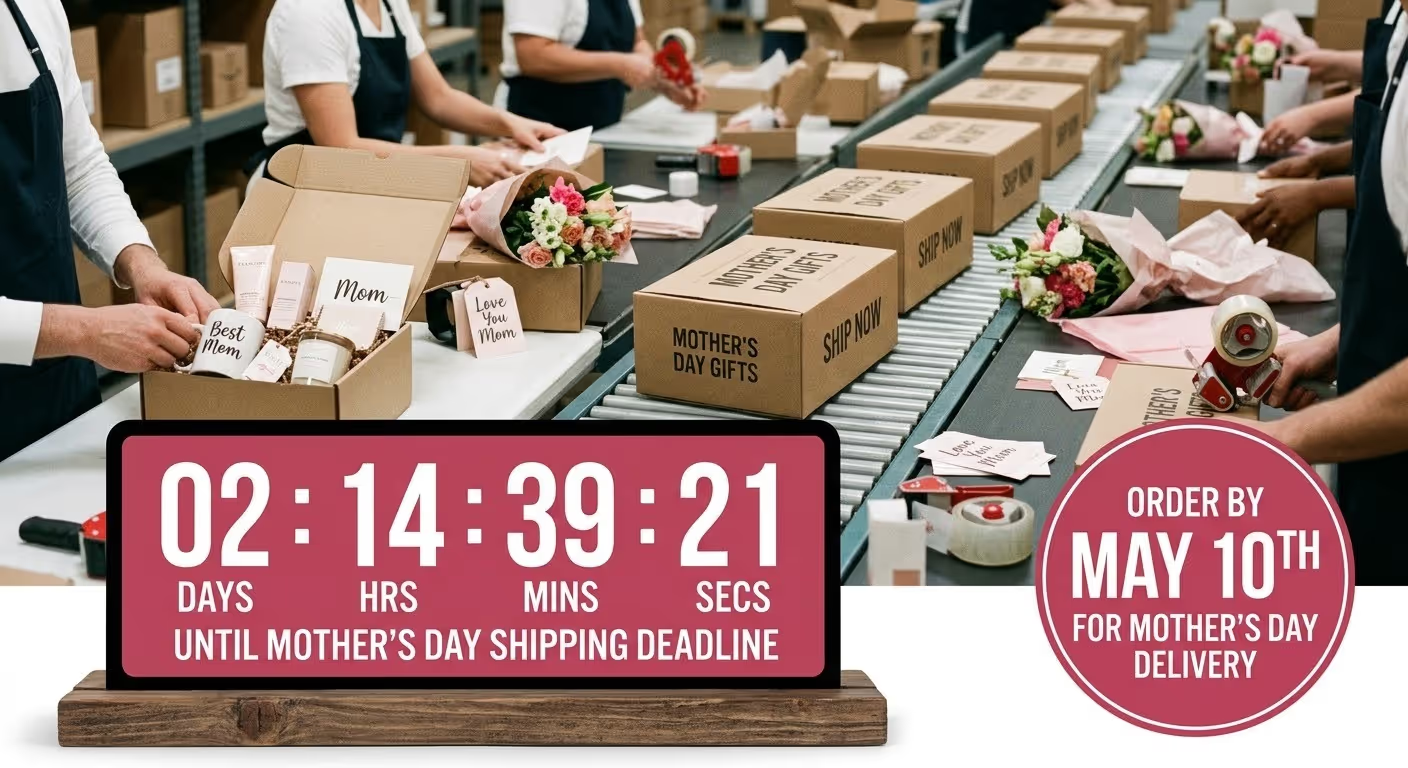
The sale is not the end of the relationship — it's the beginning of the next one. Once a Mother's Day order is placed, send a confirmation email that builds anticipation and excitement around the incoming gift.
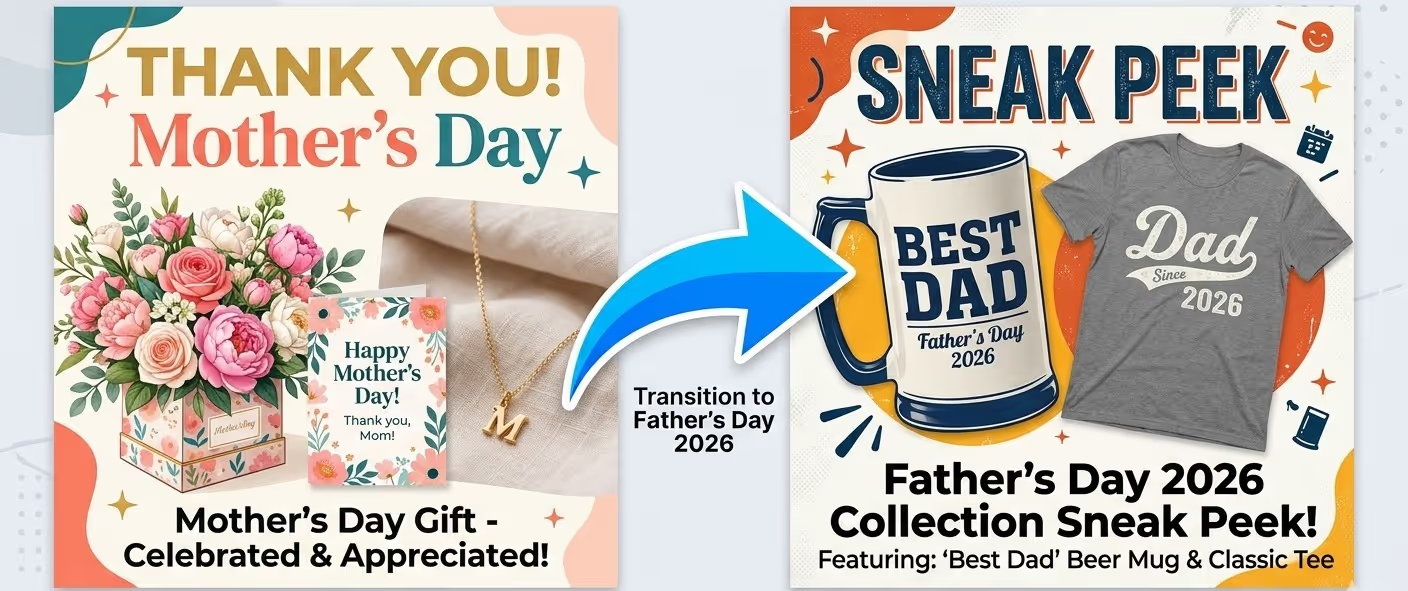
The key move comes 48 hours later. Trigger an automated "Treat Yourself" email offering a discount on a second item, or give a sneak peek at your upcoming Father's Day collection. A buyer who just had a positive purchase experience is at peak trust — this is your best window to turn a one-time transaction into a repeat customer. Even a 10–15% conversion rate on this second-purchase offer can meaningfully lift your average order value for the entire Mother's Day season.
Subject lines to test:
Before you blast your full list, test your subject lines on a small segment first — 10–15% of your audience is enough to get directional signal. Keep subject lines between 40–60 characters so they render cleanly in mobile preview panes, where the majority of your opens will happen. Small optimizations here — a single word change, an emoji added or removed, a question vs. a statement — can move open rates by 5–10 percentage points, which compounds significantly across a full seasonal campaign.
Print-on-demand sellers targeting gift buyers should optimize around: Mother's Day email automation, holiday e-commerce automation, Mother's Day gift guide email, abandoned cart recovery flow.
Sellers targeting the personalization niche (custom mugs, apparel, home decor) should layer in: personalized Mother's Day gifts, custom print-on-demand Mother's Day, GearLaunch Mother's Day products, POD shipping deadlines May.
Sellers targeting the "Dog Mom" and pet-gift niche should build flows around: Dog Mom gift ideas, pet owner Mother's Day gifts, matching owner-pet apparel, GearLaunch pet accessories — a consistently high-performing segment for May campaigns.
When should I activate my Mother's Day email flows? Activate your Welcome Series and Gift Guide Browse Abandonment flows 4–5 weeks before Mother's Day — that's early-to-mid April. This captures early shoppers, builds your list before peak competition heats up, and gives your abandoned cart sequences time to run their full cycle without hitting the shipping cutoff. Early activation consistently outperforms last-minute blasts in both open rates and conversion.
Does GearLaunch handle shipping notification emails? Yes — GearLaunch handles all transactional emails including order confirmation and shipping updates. Your job is to run the marketing automation flows (welcome, browse abandonment, cart recovery, shipping deadline, post-purchase) through your own email service provider, such as Klaviyo or Mailchimp. This separation gives you full control over branding and segmentation while GearLaunch handles fulfillment communications.
Can I reuse these flows for Father's Day? Absolutely — and you should. The same five flows map directly onto Father's Day with updated product features and subject lines. Your post-purchase upsell from Mother's Day is actually the ideal entry point to tease your Father's Day collection, turning a May buyer into a June repeat customer.
Mother's Day 2026 rewards the sellers who prepare early and automate smart. Set up these five flows before peak season, and your store will keep converting while you focus on designing. Browse the full GearLaunch product catalog to build out your Mother's Day collection, or create a product and launch your first campaign today.


.svg)
.svg)
.svg)