পণ্য


.svg)


.svg)


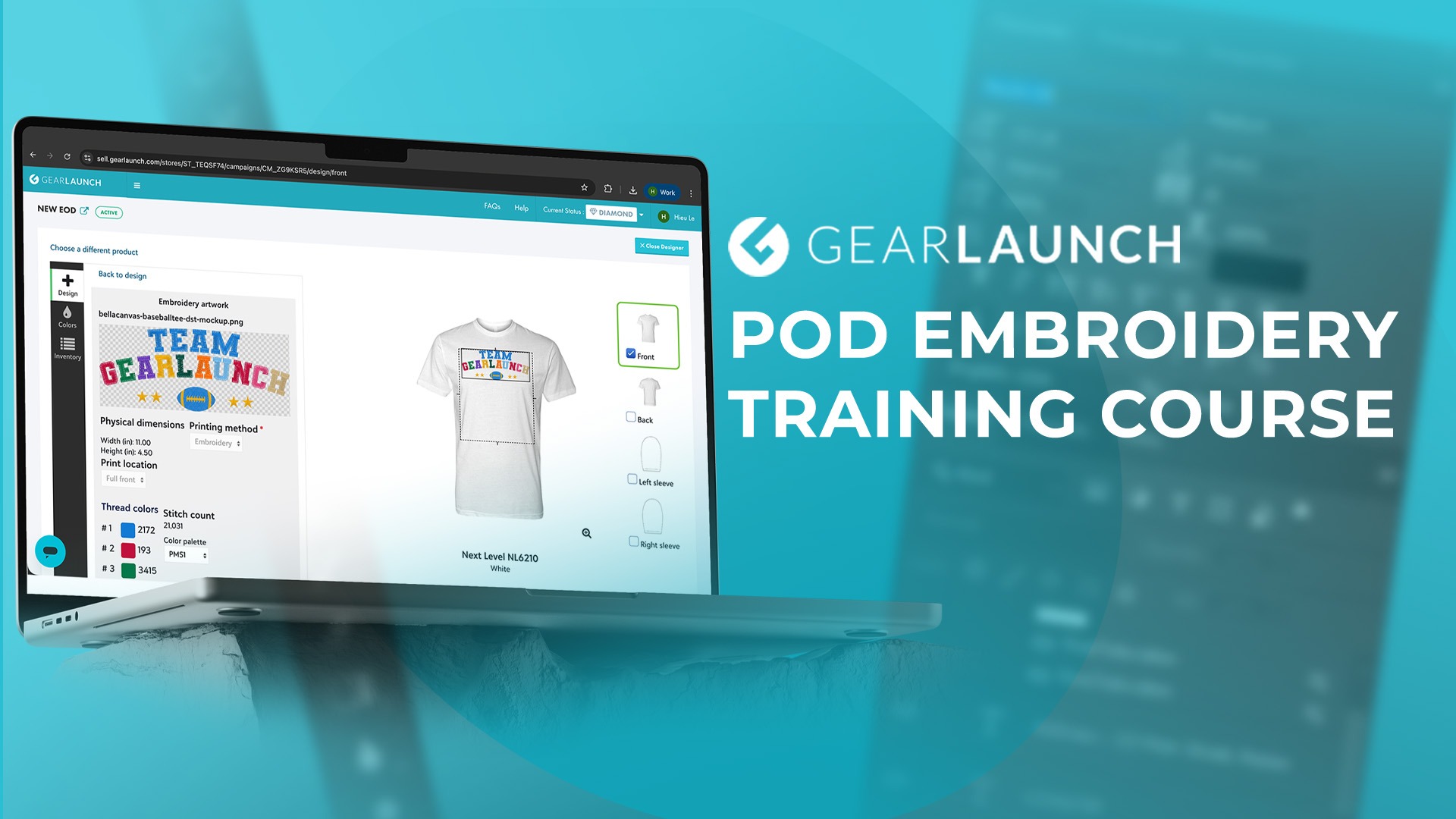
Embroidery just became the newest high-margin category on GearLaunch, and we built a free course to help you sell it well from day one. The GearLaunch Embroidery on Demand Masterclass walks you through everything from stitch-quality design rules to uploading your first embroidered campaign, so you can start listing hats, hoodies, and beanies that actually look like they came off a real embroidery machine — because they did.
If you've been selling flat-print apparel and wondering how to break into a category with less competition and a more "premium" feel to customers, this is it. The course is free, beginner-friendly, and built specifically for sellers already working inside the GearLaunch platform.
Start the Embroidery on Demand Masterclass →
The course is broken into four focused modules, each designed to take you from "I've never touched embroidery" to "I have a live campaign":
There's also a bonus session on building photorealistic embroidery mockups with Photoshop Beta, so your listings look like studio photography even before a single unit ships.
Embroidery reads as premium to shoppers in a way flat print often doesn't — it's the difference between a $18 tee and a $34 embroidered hoodie in a buyer's mind. That perception gap is where the margin lives. Categories like caps, beanies, and heavyweight crewnecks are built for it: the stitched texture holds up in product photos, ages better than a print, and gives you a natural upsell alongside your existing designs.
It also opens a new niche lane. A design that's too busy or detailed for a clean embroidery patch is exactly the kind of design that photographs beautifully as a monogram or small chest logo instead — meaning your best embroidery sellers probably use different creative from your best all-over-print sellers. That variety is good for your store's overall catalog spread, and it gives repeat buyers a reason to come back for a second product type.
If you're deciding where to start, the course's "what fails" section is worth watching closely before you design anything — small text, fine gradients, and thin outlines are the most common reasons a first embroidery campaign underperforms, and it's much cheaper to learn that from the video than from a batch of returns.
The masterclass is built to end at your keyboard, not just in your notes. After each module, the next logical step is your GearLaunch dashboard: log in, open your product catalog, and start a new campaign using the DST workflow you just watched. If you're new to GearLaunch entirely, sign up first — the course assumes you have store access, not that you're launching a store from scratch.
A practical way to use the course: watch the Design Rules module, then immediately browse GearLaunch's Unisex Hoodies to see which blanks suit heavier stitch counts. Watch the Software Setup and DST modules back to back, since they're really one workflow split in two. Then, before you upload your first campaign, take a look at the Adult Classic Cap and Beanies listings — both are forgiving first products because their embroidery area is small and centered, which limits how much can go wrong on a first attempt.
For a broader look at everything that shipped alongside embroidery, our step-by-step guide to launching campaigns with the new decoration methods covers the dashboard mechanics in more depth, and our original announcement on the 6,000+ product expansion has the full list of decoration methods now live on the platform.
This masterclass is built for GearLaunch sellers at any stage — the course itself is labeled beginner level, so no prior embroidery or design experience is required. If you already sell flat-print apparel, expect to recognize the campaign-building steps; the new parts are the design rules and the DST digitizing process, both of which get dedicated, slow-paced modules. If you're brand new to POD altogether, GearLaunch Academy's broader Product Selling Guide is a good companion resource alongside this course.
Is the Embroidery on Demand Masterclass really free? Yes. It's part of GearLaunch's free training course library, open to any seller with a GearLaunch account — no separate purchase or upsell required to access the modules.
Do I need design software before starting? No. The Software Setup module walks you through downloading and configuring Inkscape and the Ink/Stitch extension, both free and open-source, so you can follow along from a blank install.
What file format does GearLaunch need for embroidery campaigns? DST files. The course's third module is dedicated entirely to converting your vector artwork into a machine-readable DST stitch file before you upload it to a campaign.
Which products work best for a first embroidery campaign? Heavyweight garments and structured accessories hold stitching best — caps, beanies, and heavier crewnecks or hoodies are the safest starting points, while thin or stretchy fabrics are more prone to puckering.
Can I use my existing flat-print designs for embroidery? Not directly. Embroidery has its own technical rules around minimum text size, stitch density, and color simplicity, which the Design Rules module covers — most flat-print designs need to be simplified before they'll digitize cleanly.
Ready to add embroidery to your catalog? Take the free Embroidery on Demand Masterclass first, then browse the full GearLaunch product catalog for blanks to pair with your first design, or head straight to Create a Product to start building your campaign today.


.svg)
.svg)
.svg)